
Introduction
The Manual Coding screen in codeit is a rich user interface that offers powerful ways to view, edit and refine your coding.
It offers fine-grained control over your codeframe and the codes applied to each verbatim in your data.
It can be used to code data manually from scratch or as a means to refine and edit the AI autocoding.
Manual Coding Layout
The manual coding page consists of four main areas:
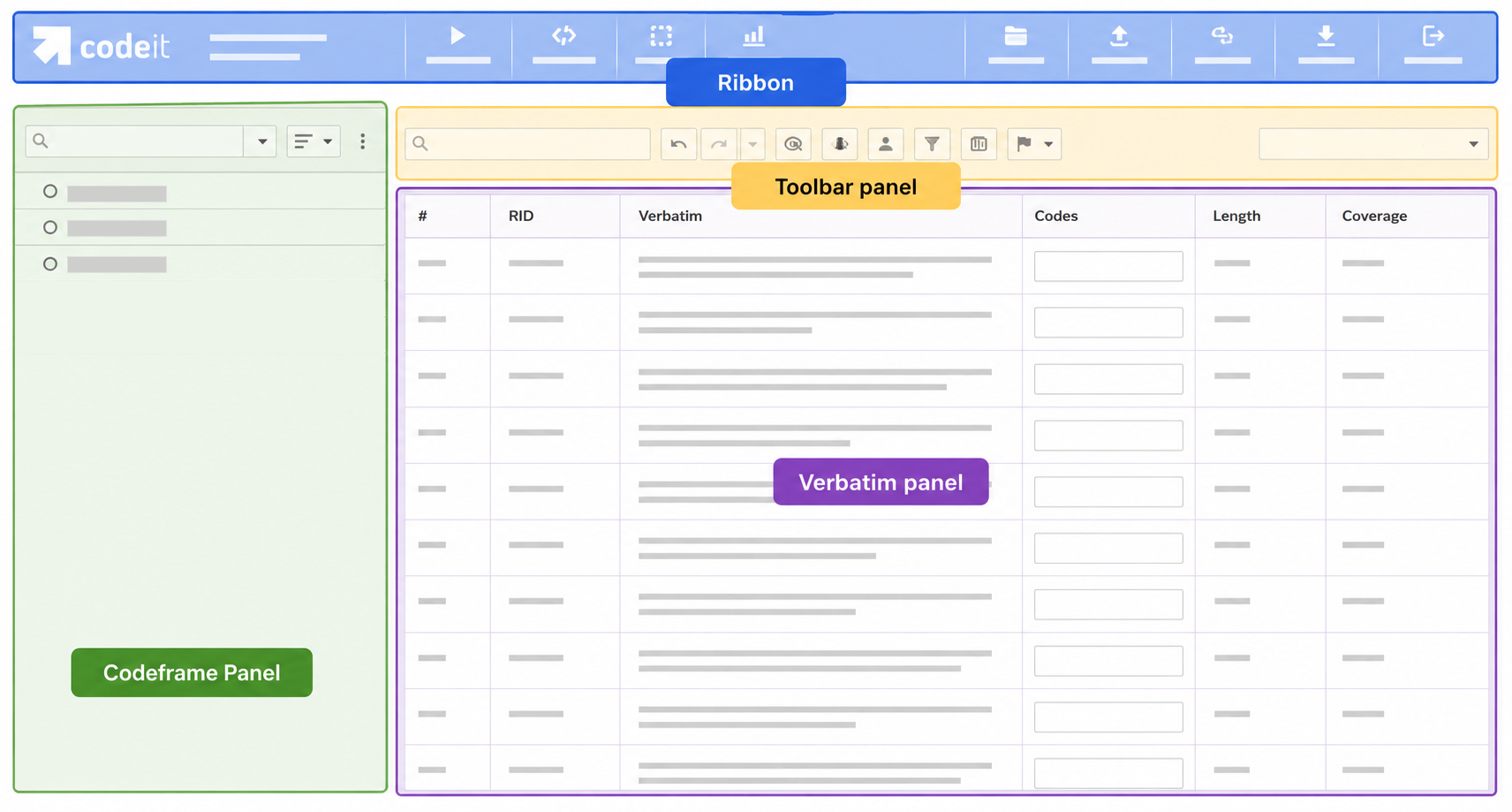
Layout Areas
The following table contains a brief description of each of these four areas and links to further details:
| Area | Description |
|---|---|
| Ribbon | Contains navigation links to other pages within the codeit application. |
| Codeframe Panel | Provides various ways to edit and work with a codeframe. |
| Toolbar Panel | Contains buttons that perform various functions (e.g. Undo, Filtering, Display) |
| Verbatim Panel | Provides various ways to code and work with a set of verbatim data. |
Shortcuts
The Manual Coding screen also provides a set of keyboard shortcuts for quick access to certain actions.
A list of these shortcuts can be found here.